Freecalidraw
Not deployed publicly. If you'd like to try it, reach out at [email protected].
What it is
Freecalidraw is the Excalidraw whiteboard with a home for your boards and a drawing agent on every board, called Da Vinci. You ask for a flowchart, a table, a mind map or a wireframe, or hand him a photo of a sketch, and he draws it with ordinary Excalidraw shapes and arrows that you can move and edit afterwards.
How it works
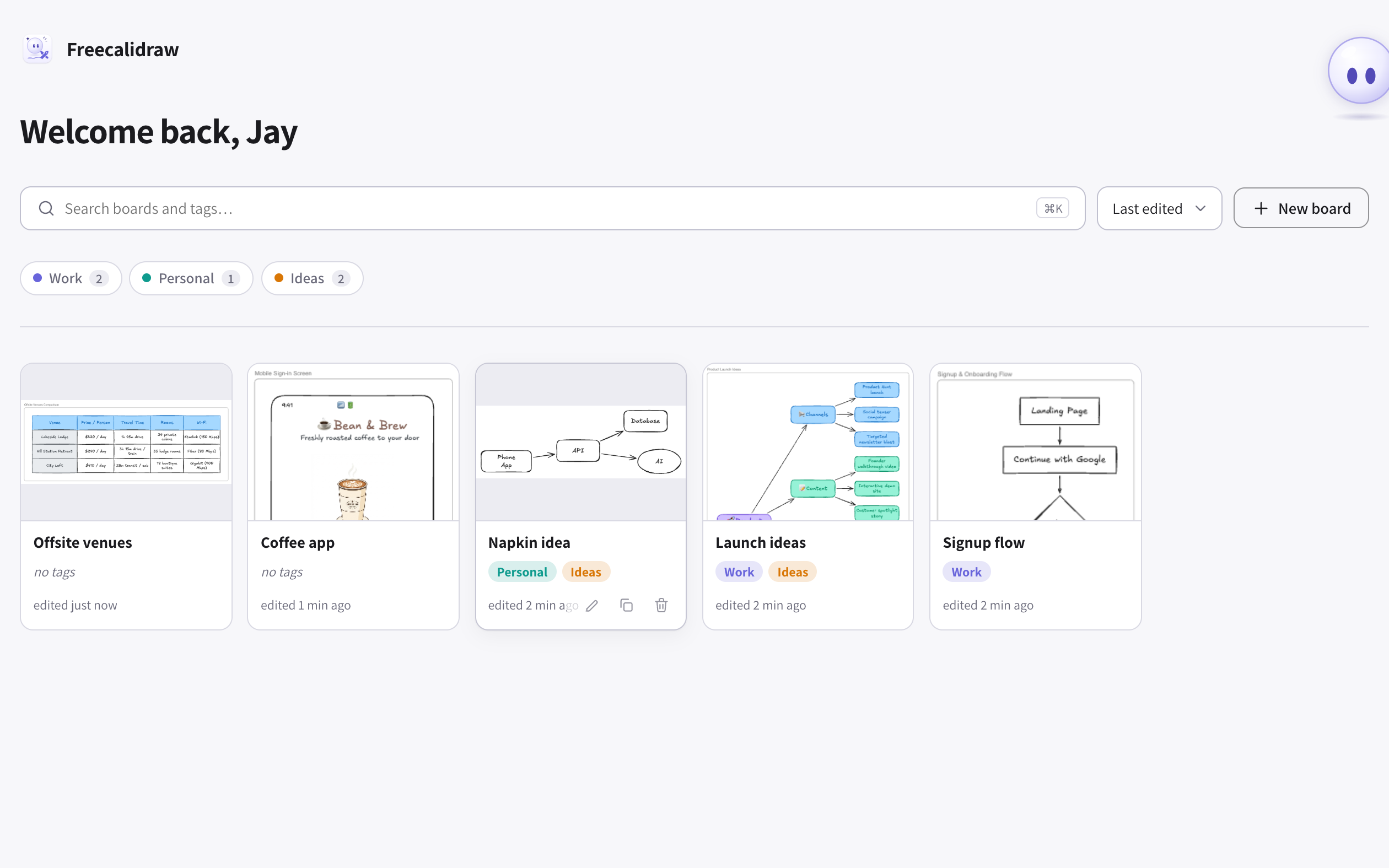
Your boards
Home lists your boards with a thumbnail, tags and when each was last edited. ⌘K jumps to search, which matches board names and tags together. Inside a board you get the full Excalidraw editor, and boards save as you work.
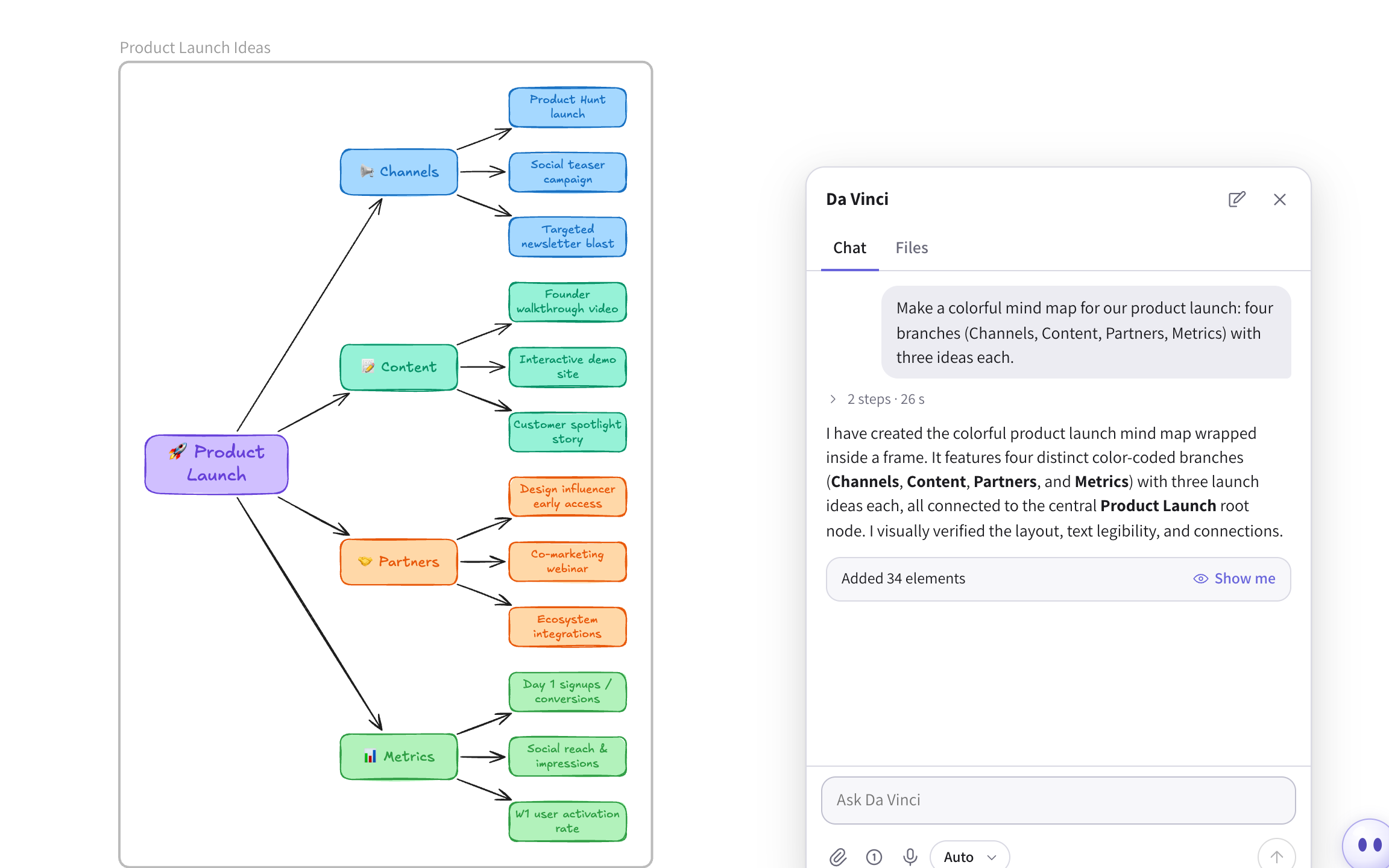
Asking for a drawing
Press ⌘J or click Da Vinci in the corner, type what you want, and he draws it. He can draw diagrams (flowcharts, sequence, class and state diagrams) and layouts of boxes, sticky notes and arrows: tables, mind maps, timelines, kanban boards and wireframes. Everything comes out as native shapes, never a flat image.
Photos and files
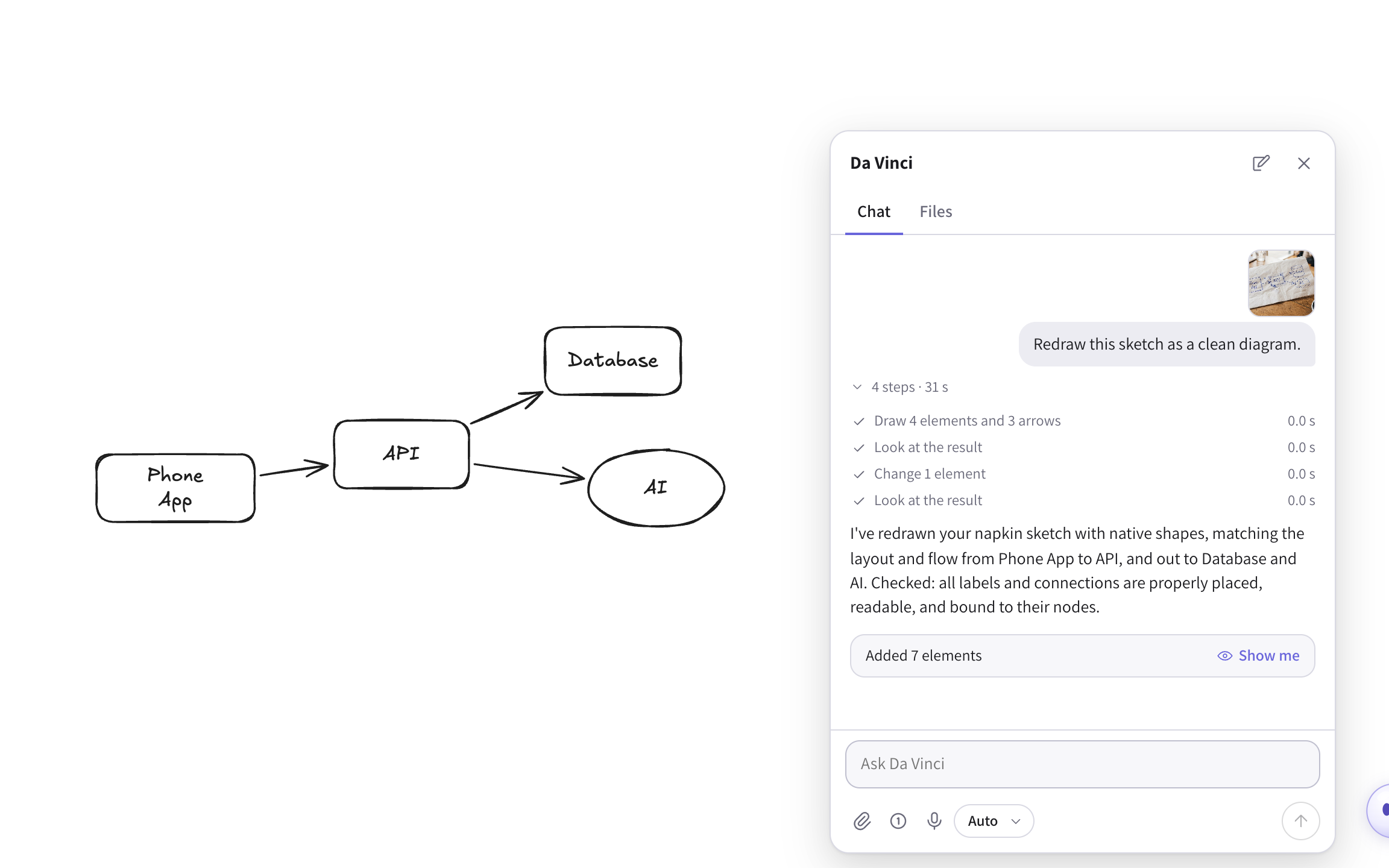
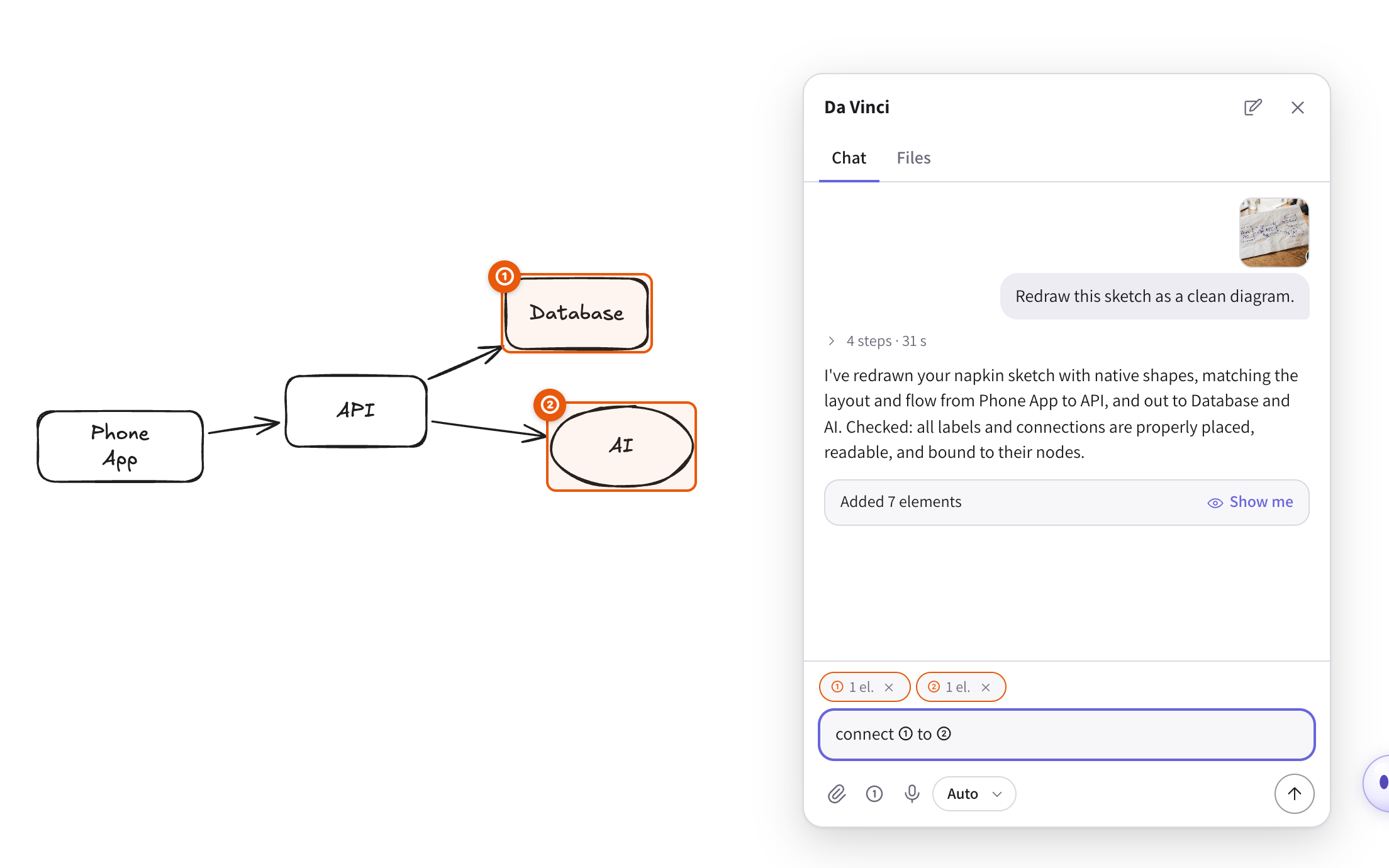
You can attach photos, PDFs, spreadsheets and Markdown, and he works from them. A spreadsheet can become a table, and a PDF can become a diagram of what's in it. This is a photo of a sketch on a napkin.

Asked to redraw it, he keeps the layout of the sketch. Rows and columns line up, boxes fit their words, and every arrow is attached to the shapes it connects.
Checking his own work
After every change, a check flags overlapping shapes, text too small to read, labels spilling out of boxes and loose arrows. He also renders the board and looks at it before answering. In this turn he changed one element after the first look, then checked again.
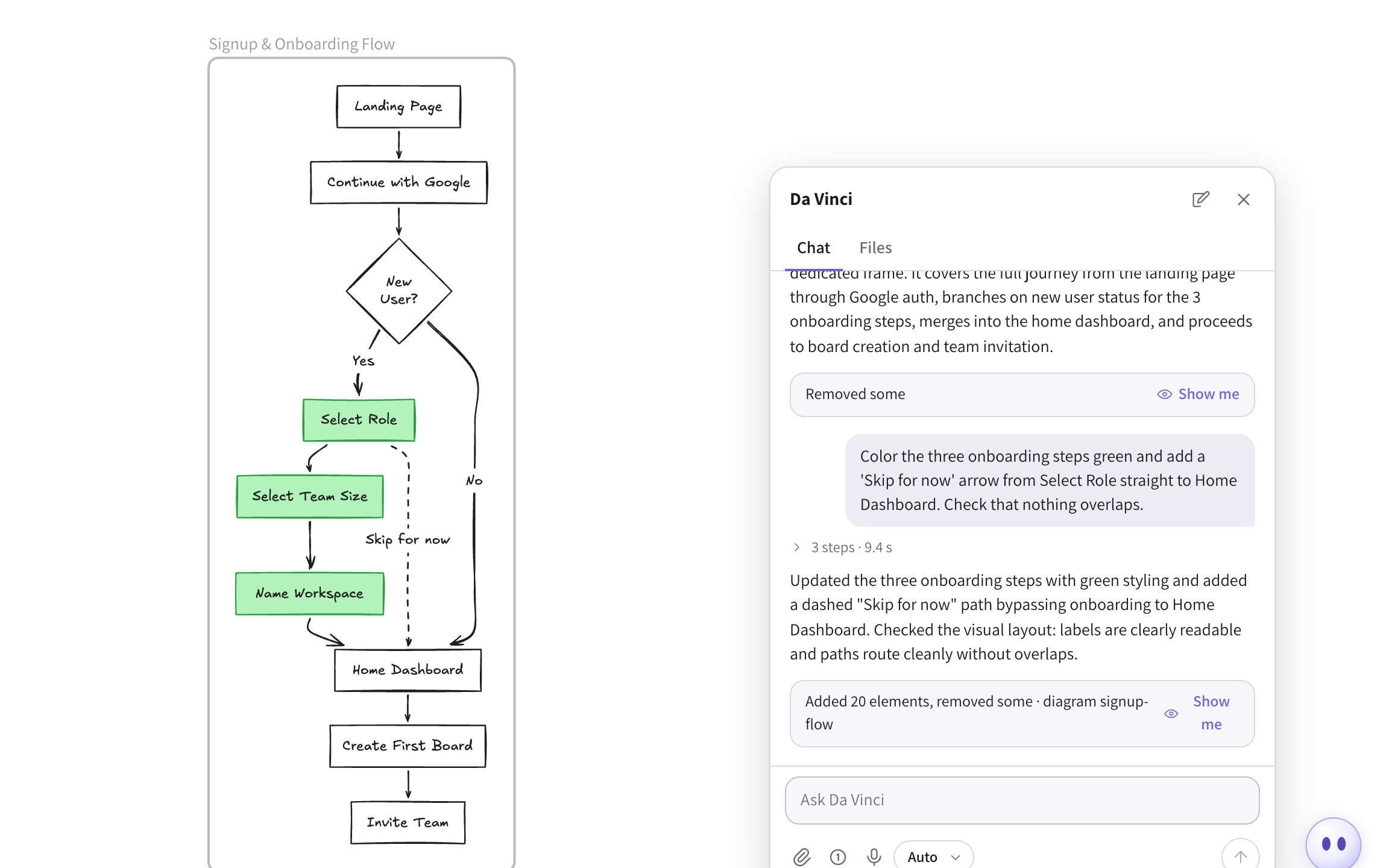
Changes and undo
Ask for a change and he edits the existing drawing, leaving the rest alone. Each turn ends with a card saying what changed, and everything he did in that turn is undone with a single ⌘Z.
Pointing at things
Select shapes and press Highlight to number them, then say "connect ① to ②". With nothing selected, you can mark an empty area for him to draw into.
Plans for big boards
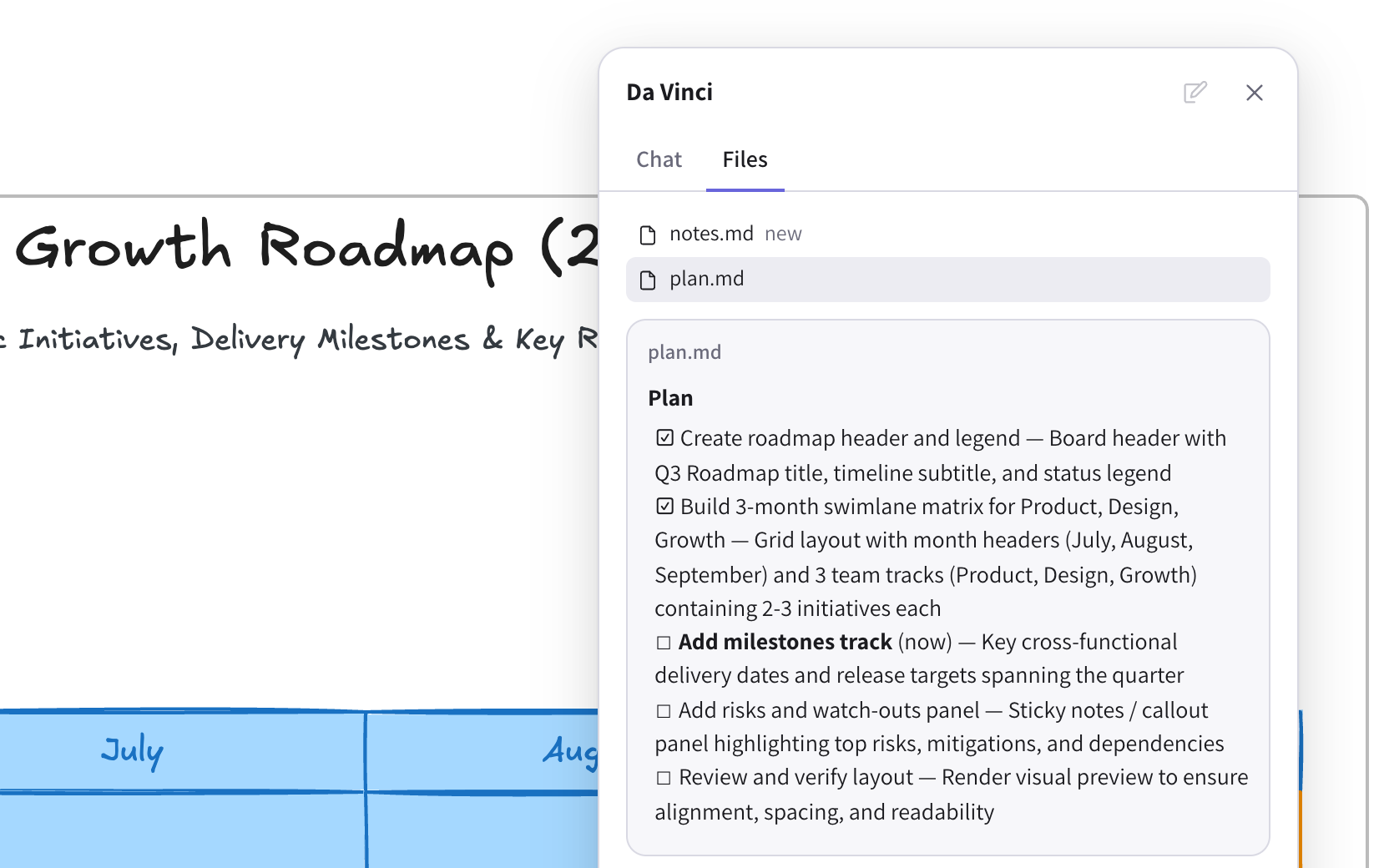
In Plan mode he reads the board and writes a step-by-step plan without changing anything. When you're happy with it, he builds it, ticking off steps as he goes.
Web search
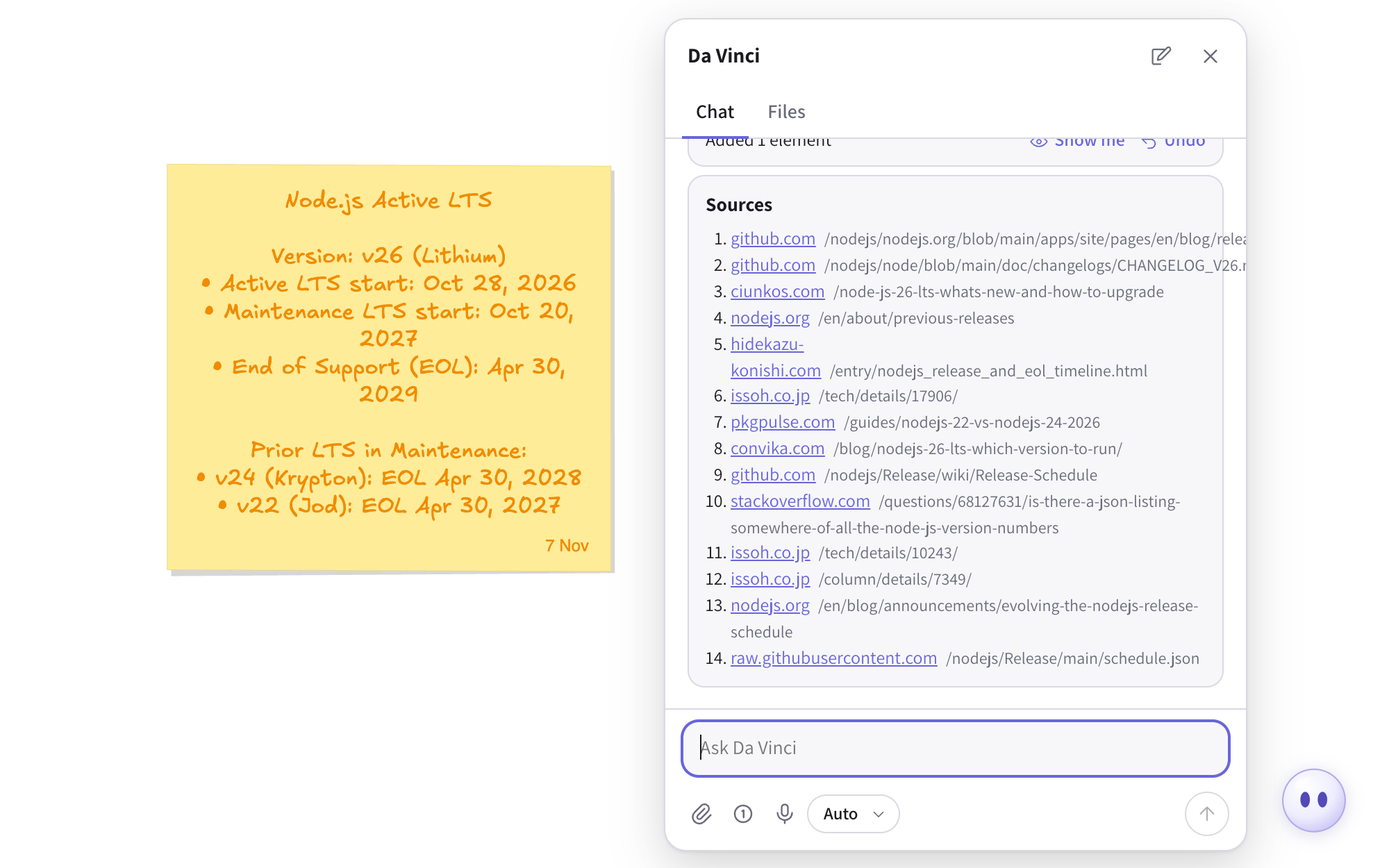
For things that change, like prices or releases, he searches the web and lists his sources under the answer.
And more
- Wireframes. He sketches interfaces from a description, and can generate an illustration to go in one.
- How much he does alone. Modes range from asking before every change to working freely. Even then he asks before big deletions.
- Dictation. Talk instead of typing. He doesn't talk back.
- Export to PDF, PNG, SVG or an Excalidraw file.
- A Mac app, the same app in a native window.
How it's built
The editor is the real Excalidraw, built from its source, with a React app around it. Da Vinci's agent loop runs in the browser next to the drawing, so his tools act on the live canvas. Each tool, such as draw, edit, look, search or plan, is a function the model calls. The models are Gemini on Vertex AI.
A small Node server handles sign-in and storage, and passes model calls through to Google. Boards live in Postgres and images in Cloudflare R2.
The hard part was keeping drawings tidy. Layouts do the placement, so the model describes structure, not coordinates. Diagrams are written in Mermaid and converted to native shapes, and a geometry check runs after every change.
Canonical URL: https://frostworks.dev/projects/freecalidraw
Markdown: https://frostworks.dev/projects/freecalidraw/index.md
Site index: https://frostworks.dev/llms.txt
Everything in one file: https://frostworks.dev/llms-full.txt
[← Projects](https://frostworks.dev/projects.md) # Freecalidraw Not deployed publicly. If you'd like to try it, reach out at [email protected]. [Explainer video](https://frostworks.dev/images/projects/freecalidraw/video.mp4) ## What it is Freecalidraw is the Excalidraw whiteboard with a home for your boards and a drawing agent on every board, called Da Vinci. You ask for a flowchart, a table, a mind map or a wireframe, or hand him a photo of a sketch, and he draws it with ordinary Excalidraw shapes and arrows that you can move and edit afterwards. ## How it works ### Your boards Home lists your boards with a thumbnail, tags and when each was last edited. ⌘K jumps to search, which matches board names and tags together. Inside a board you get the full Excalidraw editor, and boards save as you work.  ### Asking for a drawing Press ⌘J or click Da Vinci in the corner, type what you want, and he draws it. He can draw diagrams (flowcharts, sequence, class and state diagrams) and layouts of boxes, sticky notes and arrows: tables, mind maps, timelines, kanban boards and wireframes. Everything comes out as native shapes, never a flat image.  ### Photos and files You can attach photos, PDFs, spreadsheets and Markdown, and he works from them. A spreadsheet can become a table, and a PDF can become a diagram of what's in it. This is a photo of a sketch on a napkin.  Asked to redraw it, he keeps the layout of the sketch. Rows and columns line up, boxes fit their words, and every arrow is attached to the shapes it connects. ### Checking his own work After every change, a check flags overlapping shapes, text too small to read, labels spilling out of boxes and loose arrows. He also renders the board and looks at it before answering. In this turn he changed one element after the first look, then checked again.  ### Changes and undo Ask for a change and he edits the existing drawing, leaving the rest alone. Each turn ends with a card saying what changed, and everything he did in that turn is undone with a single ⌘Z.  ### Pointing at things Select shapes and press Highlight to number them, then say "connect ① to ②". With nothing selected, you can mark an empty area for him to draw into.  ### Plans for big boards In Plan mode he reads the board and writes a step-by-step plan without changing anything. When you're happy with it, he builds it, ticking off steps as he goes.  ### Web search For things that change, like prices or releases, he searches the web and lists his sources under the answer.  ### And more - **Wireframes.** He sketches interfaces from a description, and can generate an illustration to go in one. - **How much he does alone.** Modes range from asking before every change to working freely. Even then he asks before big deletions. - **Dictation.** Talk instead of typing. He doesn't talk back. - **Export** to PDF, PNG, SVG or an Excalidraw file. - **A Mac app,** the same app in a native window. ## How it's built The editor is the real Excalidraw, built from its source, with a React app around it. Da Vinci's agent loop runs in the browser next to the drawing, so his tools act on the live canvas. Each tool, such as draw, edit, look, search or plan, is a function the model calls. The models are Gemini on Vertex AI. A small Node server handles sign-in and storage, and passes model calls through to Google. Boards live in Postgres and images in Cloudflare R2. The hard part was keeping drawings tidy. Layouts do the placement, so the model describes structure, not coordinates. Diagrams are written in Mermaid and converted to native shapes, and a geometry check runs after every change.







